
Last Z Top-Up Guide: Save on Gold Bars and Packs
Quick Answer
LDShop is a cheaper way to buy the same Last Z Gold Bars and packs when the live discount is available. The value is simple: you choose the same kind of item, pay less than the in-game or official-store price, and receive it through the Last Z top-up flow.
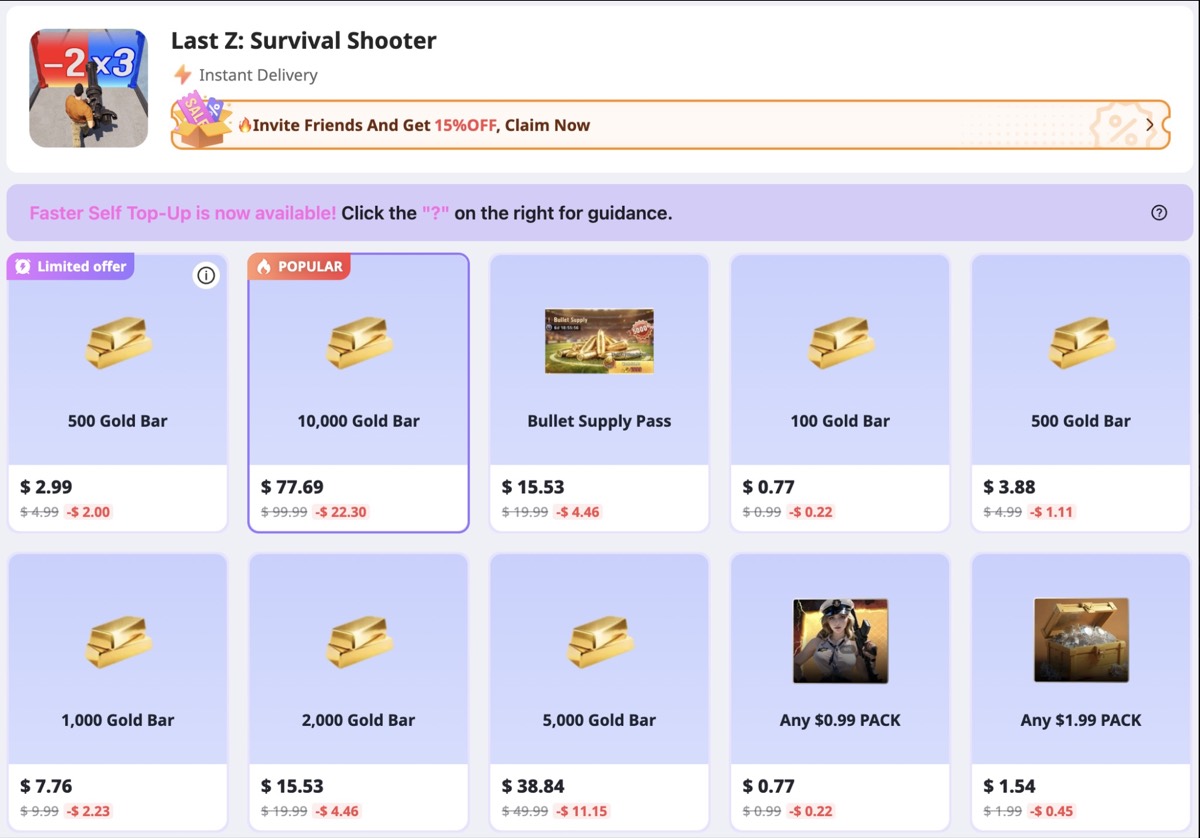
- Gold Bars cost less - examples include 2,000 Gold Bar for $15.53 instead of $19.99.
- Packs can be cheaper too - examples include Bullet Supply Pass at $15.53 instead of $19.99.
- The setup is straightforward - choose a product, enter your account email and Game UID, then finish the top-up steps.
Last Z top-up
Get the same Gold Bars and packs for less.
Open the Last Z page on LDShop and compare the live price with the in-game or official-store price.
Current Price Examples
LDShop shows Last Z Gold Bars and selected packs below the usual in-game price. The live page makes the discount easy to compare before choosing a bundle.
How LDShop Top-Up Works
LDShop is a separate checkout for Last Z purchases. The order starts on LDShop, then the item is delivered to the Last Z account you choose.
Choose the product
Pick the Gold Bar amount or pack. LDShop shows live offers, coupons, and discounted bundle prices on the product page.
Pay on LDShop
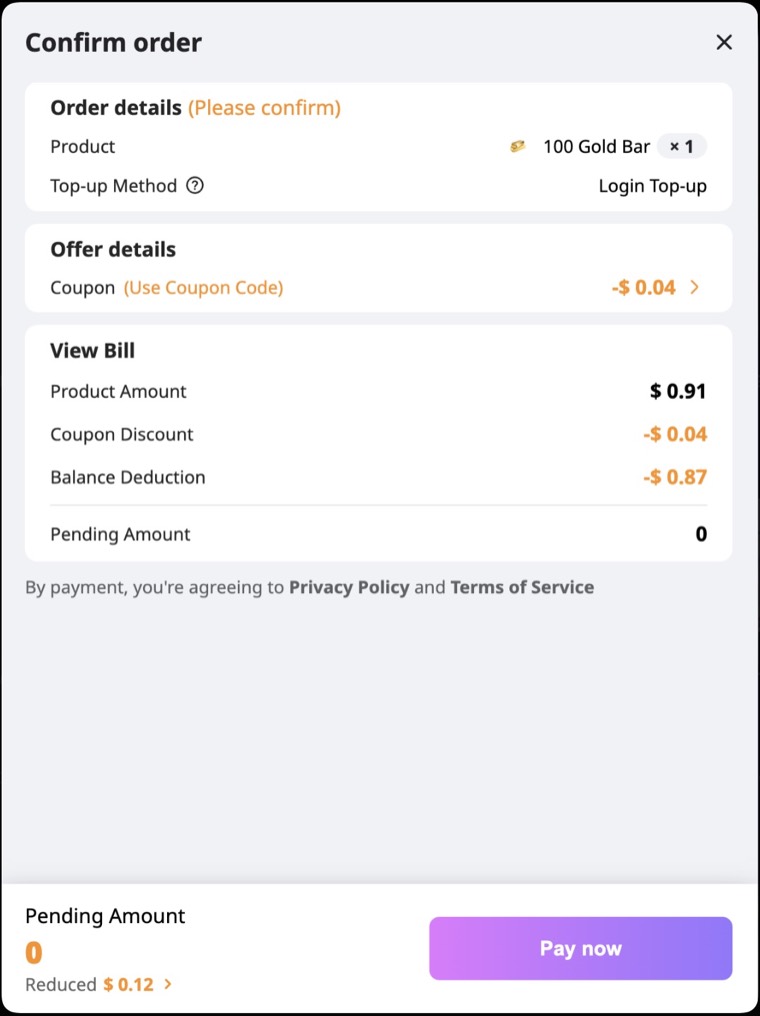
Confirm the order, apply any visible coupon, and pay through the checkout before choosing the delivery method.
Submit account details
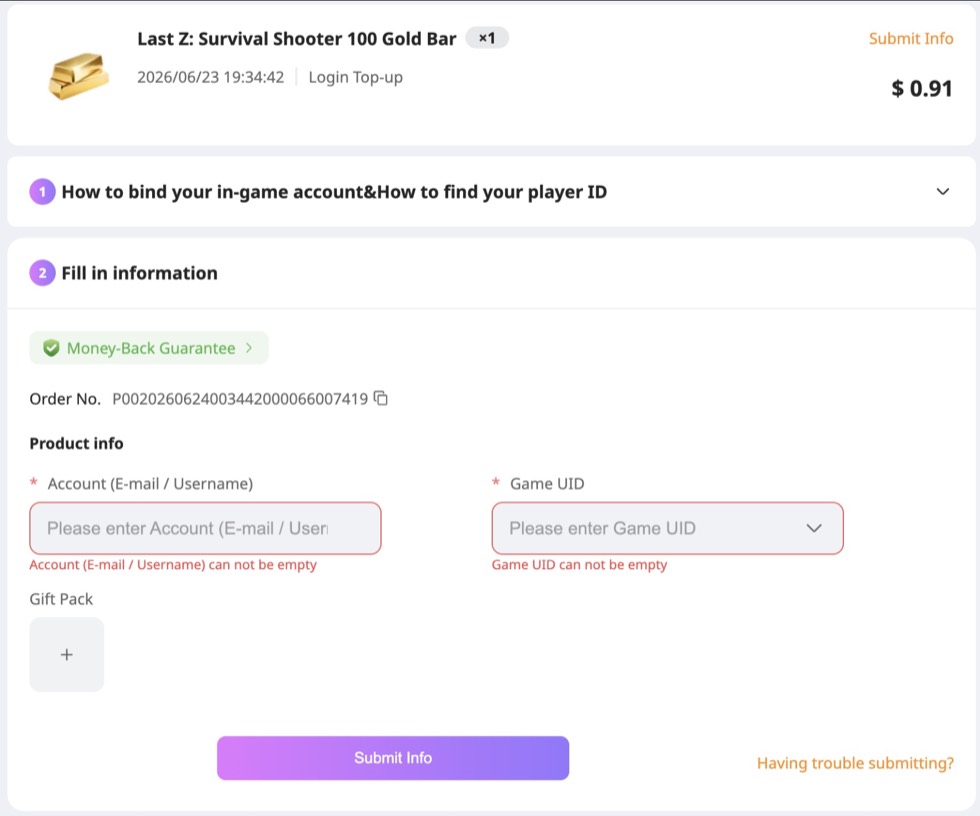
Use the account email or username and Game UID / player ID for the Last Z character that should receive the purchase.
Finish delivery
Last Z is marked as Instant Delivery on LDShop. Some orders still use email verification or Login Top-Up before the item appears in game.
When LDShop Makes Sense
LDShop is most useful for planned purchases where the discount is visible before checkout. The clearest cases are Gold Bars you already expect to spend, Bullet Supply Pass, and event or upgrade windows where you know which pack you want.
How the Top-Up Flow Works
Choose the product
Pick the Gold Bar amount or pack on the Last Z LDShop page. Last Z supports instant delivery, and Self Top-Up is available for faster orders.
Confirm the order
The order screen shows the product, quantity, top-up method, coupon discount, balance deduction, and final amount.
Submit account info
Enter the account email or username and the Game UID for the Last Z character that should receive the purchase.
Let the order process
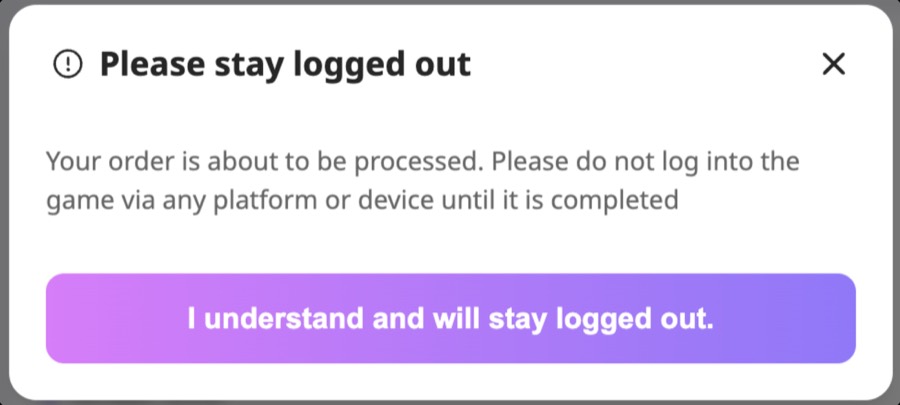
For Login Top-Up, stay logged out of Last Z while the order is being processed. Delivery finishes cleanly when the game session is not open on another device.
Enter the email code
Some orders use an email verification code after payment. Keep the account email open and enter the latest code on the LDShop order page.
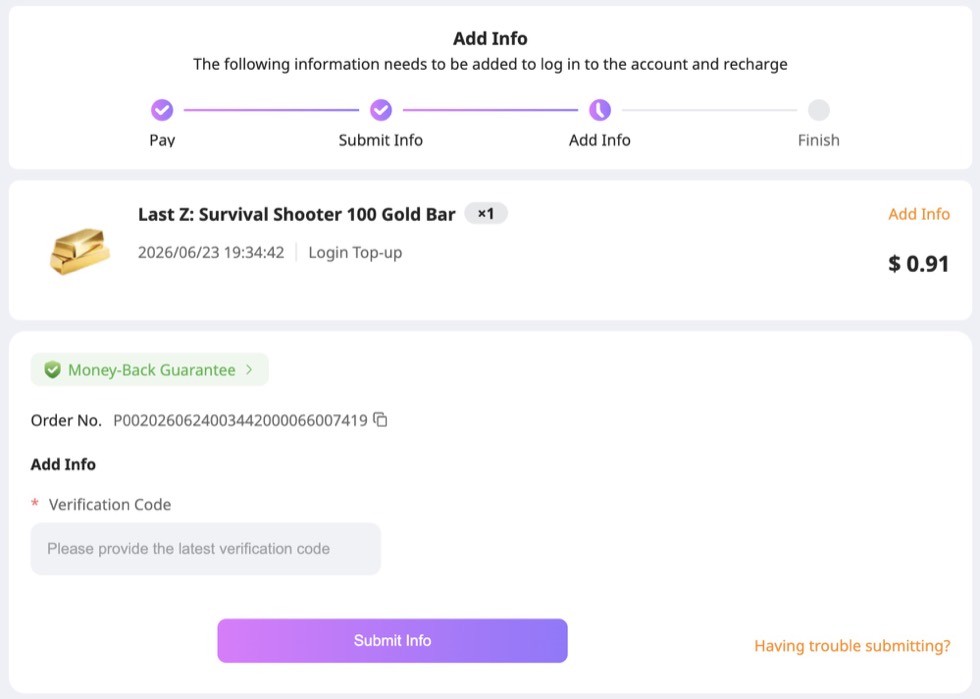
Check order status, then check in game
When the order is completed, open Last Z and confirm the Gold Bars or pack arrived on the right character.
Self Top-Up vs Login Top-Up
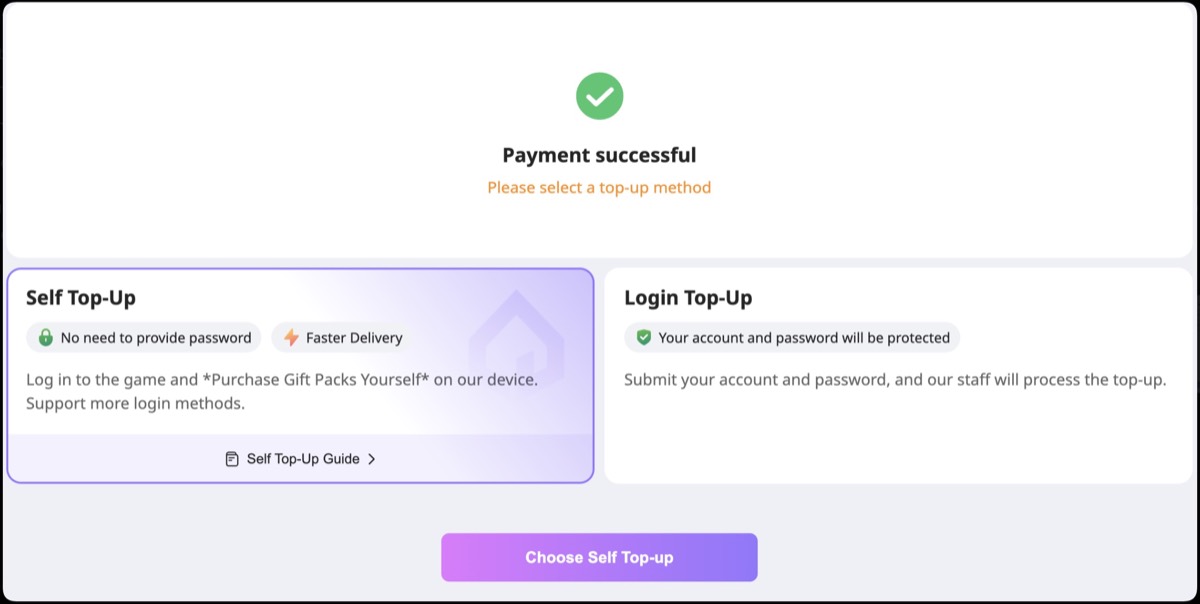
Self Top-Up
Self Top-Up is the faster route and does not require a password. You complete the purchase through the guided flow yourself.
- Best for quick Gold Bar orders and simple pack purchases.
- Uses your account email and confirmation code flow.
- Works well when you are completing the purchase yourself.
Login Top-Up
Login Top-Up is used when LDShop processes the purchase after you submit the account details. Keep the game closed until the order is complete.
- Best for products that use the manual processing route.
- Requires account email or username and Game UID.
- May use an email verification code before completion.
Before You Pay
A smooth top-up is mostly about matching the order to the right account and using the discount where it actually saves money.
- The LDShop price beats the in-game or official-store route for the same item.
- The product matches the Gold Bar amount or pack you want.
- The account email or username and Game UID belong to the same Last Z character.
- The account email is available for a verification code.
- Your Gold Bar balance matches the way you want to buy the pack.
- For Login Top-Up, the game can stay closed until delivery finishes.
Ready to save on your next Last Z purchase?
Open the Last Z LDShop page and compare the current Gold Bar and pack prices with the in-game route.
Partner link: buying through this link may support LastZGuides.
FAQ
Is LDShop cheaper than the official Last Z store?
Yes. LDShop can be cheaper than the official store for Gold Bars and selected packs when the live discount is active.
What information do I need for a Last Z top-up?
Use the account email or username and the Game UID for the character that should receive the purchase. Keep email access ready for verification codes.
Why can Gold Bars affect a pack purchase?
Last Z can use your Gold Bar balance before it charges cash for some packs. Example: if a pack is priced like a $19.99 purchase and your account already has enough Gold Bars, the game can spend those Gold Bars first.
The simpler route is to buy discounted Gold Bars first, then spend them on the pack inside Last Z. You still get the pack, but the value comes from the cheaper Gold Bar purchase.
What is Self Top-Up?
Self Top-Up is the faster route where you complete the purchase yourself. It does not require a password.
What is Login Top-Up?
Login Top-Up is the route where LDShop processes the purchase after you submit the account details. Keep the game closed while the order is being processed.
Why does LDShop ask for a verification code?
Email verification connects the order to the correct account. Use the latest code from the email tied to the Last Z account.
Is this the same as redeeming codes?
No. Redeem codes use the Last Z Gift Center flow. LDShop top-up is a paid purchase flow for Gold Bars, packs, or selected offers.
Good To Know
- Gold Bar and pack prices move with live LDShop offers, so the current page is the number that matters.
- The account email and Game UID should point to the character that receives the top-up.
- Redeem codes are separate from paid top-ups. For free codes, use the Last Z codes guide.